Gameplay in Candy Hole: one round from the stake to the collect button
A round has four states and they look nothing alike: a blue loading view with no controls at all, a darkened overlay with two sentences on it, a bright field with an amount panel along the bottom, and a live field with the panel gone and a collect control in its place.
The whole of the teaching: move, absorb, build up, cash out.
How one round plays out
Load, read, set an amount, press the action, steer, and then at some point decide to stop — or have the decision taken away from you by a mine. The sequence never varies and nothing about it is automatic: there is no autoplay in this game and no automatic stop, so a round that is running is a round somebody is holding.
No controls appear until the assets are ready, which is what the bar is for.
The loading view, and the one place the studio signs its work
Before the field appears there is a full blue screen with the game logo floating among gummy bears, jelly beans and macarons, a progress bar, and a percentage underneath it. The frame kept here was taken at 51%.
Directly above the bar sits a small pixel wordmark, and it is the studio's. That is the only place in the whole product where the maker is named: the field, the panels and the overlays carry the game's own logo and nothing else. It also means our oldest material on this title carried first-hand proof of who built it, in a picture, where no automatic reader of our pages would ever have found it.
Two instructions, and what they leave out
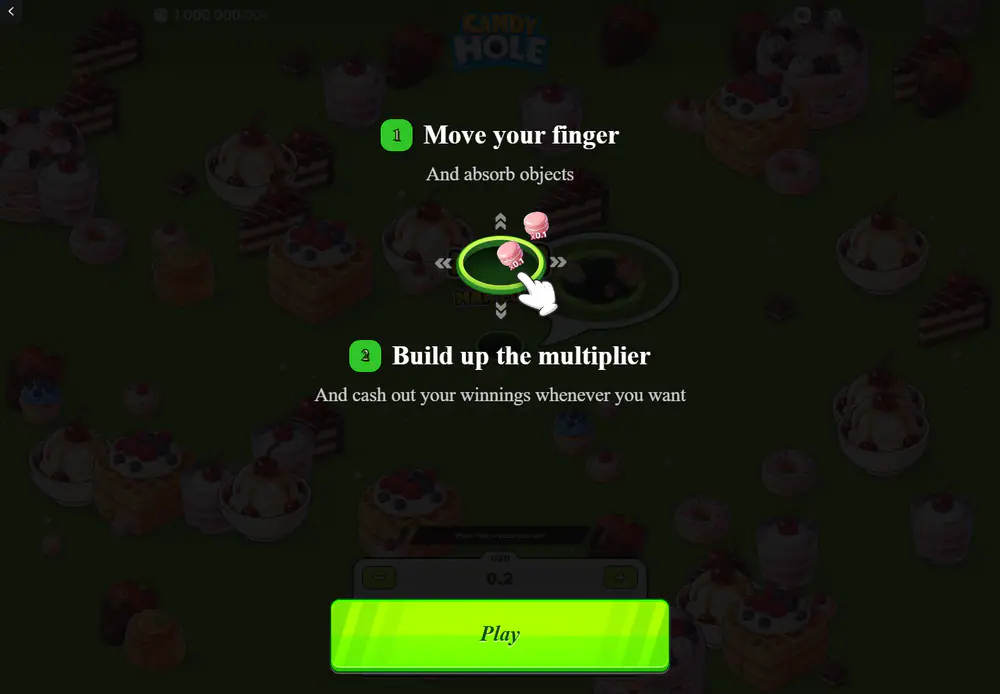
The opening overlay is two numbered lines. Move your finger, and absorb objects. Build up the multiplier, and cash out your winnings whenever you want. A hand icon and four arrows demonstrate the drag; a macaron beside the hole carries a small coefficient so that the connection between object and value is made before anything is at stake.
What those two lines do not mention is the mine, and the omission is the game's rather than ours: the overlay teaches the upside and lets the first lost round teach the rest. On this site the two halves are kept together everywhere, because a reader who learns the mechanic from the overlay alone has been taught a game that cannot go wrong.
The amount panel, before the field takes over
The panel is centred along the bottom and holds a currency label, a numeric amount, a minus and a plus, four shortcuts and one wide action button. In the frame kept here the label reads USD and the amount 0.2, with shortcuts at 1, 2, 5 and 10. Above it, a thin strip reads: press play to place your bet.
Pressing it removes the whole panel. From that moment the screen is the field, the running number and the collect control, and there is nothing left to adjust — the amount for this round was fixed by the last thing you touched before the field opened.
Below x1.00 nothing can be taken and nothing can be lost
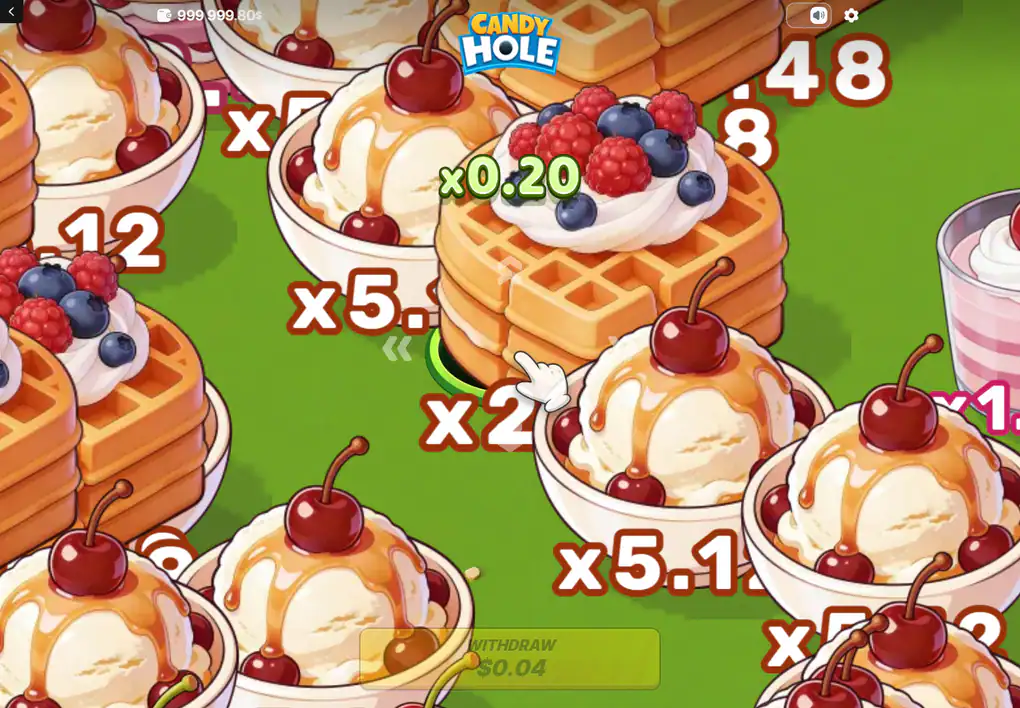
A round opens below even money and has to climb to x1.00 before either outcome is possible: under that mark the collect control cannot be used and, by the same rule, the round cannot be lost either. The frame kept here shows exactly that state — a running value of x0.20, a collect control sitting there in a muted colour while the action button in the pre-round frame is fully lit.
It is the most easily missed rule in the game and the one that most changes how the opening seconds read. The first several objects are not a slow start to a round that is already yours; they are the part of the round in which nothing is yours yet.
Read it alongside the object values and the opening of a round stops looking gentle. Getting from the bottom of the ladder up to even money means taking a string of objects worth hundredths, which is both the only route to anything larger and the stretch in which the round cannot be banked. A player who assumes the collect control works from the first second has misread where the risk actually sits.
Mid-round: the running number beside the hole and the collect figure below it.
What the collected figure is made of
Money, not a coefficient: the amount staked multiplied by the running value at the instant you stop. The frames kept here show the whole sum. A balance of 1,000,000.00 before the round and 999,999.80 after it, which is the 0.2 going out; a running value of x0.20; and a collect control reading 0.04, which is those two multiplied together.
Nothing carries into the next round. There is no partial collection, no half-stake rescue and no memory of what the last round reached.
Because the figure is money rather than a multiple, it reads smaller than the coefficient beside it at every stake under one, and larger at every stake above one. That is arithmetic rather than design, but it is the reason the same round can feel generous on a large stake and pointless on a small one while the game has done exactly the same thing in both cases.
One consequence is worth carrying to the rest of this site. The only quantity a player sets is the amount, and the amount scales the whole round linearly: every object value, the collect figure and the ceiling all move with it in the same proportion. The one thing that does not scale is the cash cap, which is a flat limit, and that is why a larger stake quietly buys a smaller maximum multiple rather than a bigger one.
Questions about a single round
How long does a round take?
As long as it is held. There is no timer and no fixed length: a round ends when it is collected or when a mine ends it.
Can a round be left running?
Nothing stops it automatically. The game has no autoplay and no automatic stop, so an unattended round is simply a round nobody is steering.
Stated by the review covering this title, and consistent with the interface, which offers no such control.
Why can the collect control not be used at the start?
A round has to reach x1.00 first. Until then it can be neither collected nor lost.
Stated by the review; the muted state of the control is visible in the frame on this page.
What does the collect figure represent?
The amount staked multiplied by the coefficient standing at that moment, after the interface rounds it for display.
Does anything carry over between rounds?
No. Each round starts with a small hole and a coefficient below even money, whatever the one before it did.
The values printed on the objects are the other half of this, and they are not evenly spaced: the next page sets out all twelve and explains which end of them a round is really played for.
Carry on with
The game starts with what the title is, who built it, and what the single published return figure rests on.
Values sets out the twelve object values and which end of that ladder a round is actually played for.
Controls documents the stake panel, the two ways of steering, and the currency label above the amount.
On a phone compares the portrait layout with the desktop one and says what changes when a live field has to be steered by thumb.
Features covers the growing hole, the mines, the bonus that carries two names, and the fairness panel.